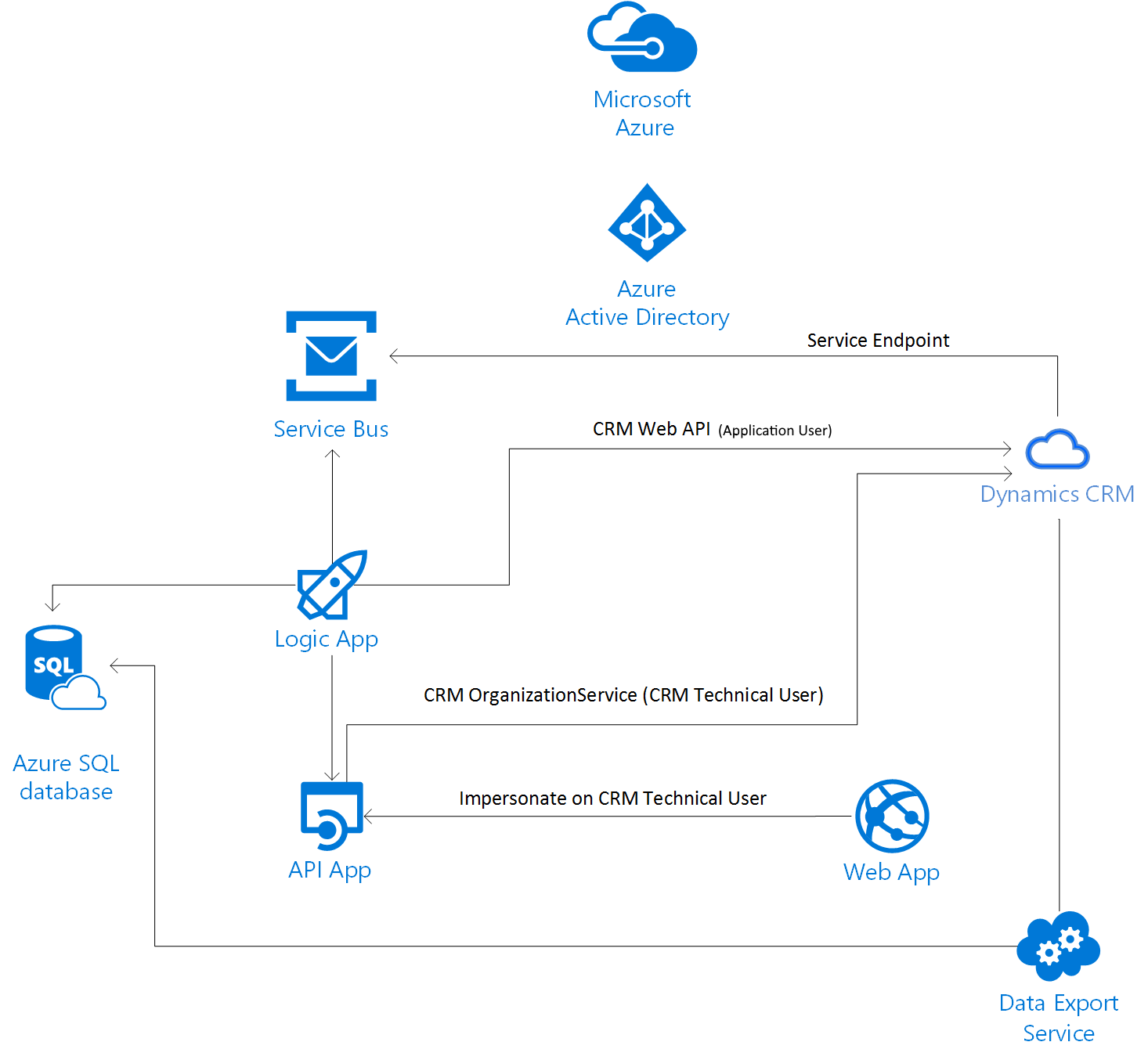
I am fairly sure you would consider integrating your organizational data stored in Microsoft Dynamics 365 with Azure. Since Microsoft Azure offers services which you can easly use in the integration along with capabilities of scalability, automated deployment and monitoring.
Since there are many circumstanes to degrade a performance in Dynamics 365 the solution decouples to distributed components and would help either consuming or upserting organizational data.
You would easly extend the solution by incorporating reporting, such as Power Bi or Machine Learning etc. A service stack of Azure is impressive.
The scenario below is already deployed to production.
The data stored in Microsoft Dynamics 365 are replicated to Microsoft SQL database using Data Export Service (DES). There is a configuration in the export profile of DES where you select certain entities to be replicated. You can also add or remove from the profile. The DES export profile needs and URL of KeyVault which actually contains of the Dynamics 365 organization ID (refer to Developer resources in your Dynamics 365 instance) and the tenant Id (Navigate to Azure AD Directory -> Properties, Directory Id is tenant Id). There is also connecting string to staging database. You obviously don’t need to enter manually but fullfill gaps in the powershell script which code snippet you can find in the link above.
For the initial load you would need to promote your pricing layer higher as describes in the docs.
Next part of this solution is Service Bus – a queuing service where the Azure-aware plugin sends the serialized ExecutionContext to the Queue.
Logic Apps can pick the message and calls another App Services for further processing.